A jQuery Flickr Feed Plugin
View the Demo | Download the Zip
We often work with clients that maintain accounts with Twitter, Flickr, Youtube and other services in addition to their website. Often they will want to pull in data from one of their accounts to their website. With Flickr, this is pretty easy because they make a simple API available. Having worked with it a few times, we decided to make it even easier to pull photos from a public feed.
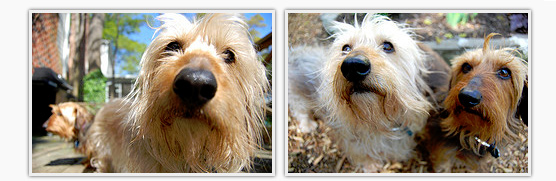
There are a few examples of this in use on the demo page. All of the photos on this page have been used with the generous permission of John Roberts (@jroberts13).
Plugin Overview
This plugin works by pulling a JSON feed from Flickr and applying the data it gets back to a template. For example, we can generate this list of pictures:
<ul>
	<li><img alt="Photo Title" src="http://farm4.static.flickr.com..." /></li>
	<li><img alt="Second Photo Title" src="http://farm4.static.flickr.com..." /></li>
</ul>
From the following jQuery:
$('ul').jflickrfeed({
	limit: 2,
	qstrings: {
		id: '44802888@N04'
	},
	itemTemplate: '<li><img alt="{{title}}" src="{{image_s}}" /></li>'
});
The plugin gets the feed from Flickr using AJAX and applies each image it gets back to the provided template.
The Plugin Options
There are a number of options available on the plugin, these are the defaults:
flickrbase: 'http://api.flickr.com/services/feeds/',
feedapi: 'photos_public.gne',
limit: 20,
qstrings: {
	lang: 'en-us',
	format: 'json',
	jsoncallback: '?'
},
cleanDescription: true,
useTemplate: true,
itemTemplate: '',
itemCallback: function(){}
Here is a description of each one:
- flickrbase: This is unlikely to be needed. It is used to set up the url the jQuery AJAX call will need to be made to.
- feedapi: There are a number of feeds that flickr makes available. The default is the public feed. Here is the list of all that are available: http://www.flickr.com/services/feeds/. This has only been tested on feeds that return photos. So, for example, don't expect good results using this plugin on the Forum discussion feeds.
- limit: Set how many items you want to loop through. Flickr seems to limit its feeds to 20, so that is the default.
- qstrings: This is the most important setting. This is used to request the correct feed. In my examples I use this to set the user id. These are automatically added to the request url. Depending on which feed you use (http://www.flickr.com/services/feeds/) there are different sets of query parameters available: http://www.flickr.com/services/feeds/.
- cleanDescription: Flickr puts all kinds of junk in the description it returns. By default this plugin is set to remove everything but the plain photo description.
- useTemplate: Set this to false if you don't want to use the plugins templating system.
- itemTemplate: The template rules are described below.
- itemCallback: You can add a callback on each item. The scope is set to the container and the item object is made available.
Typically, the only things that will need to be set are limit, qstrings.id and itemTemplate.
Using the Templates
In order to make it really easy to use any kind of markup needed with this plugin, a simple templating system has been build in. Here is an example of a template:
<li>
	<a href="{{image_b}}"><img src="{{image_s}}" alt="{{title}}" /></a>
</li>
You can see that this is just basic html with a few special tags mixed in. All of the tags are surrouned by double curly braces. The plugin works by putting in the correct information for each tag and each item into the template.
The tags that are available depend on what flickr returns for each item. For the Public Photos API these are: title, link, date_taken, description, published, author, author_id, tags, and image. For the image property, the plugin uses the Flickr URL scheme to make several sizes available. You can read about this at http://www.flickr.com/services/api/misc.urls.html. The image tags available are: image_s, image_t, image_m, image, image_b.
The Callback Parameter and Integration
The plugin's second parameter is a callback. This has the scope of the containing element and has the entire data response available. This is a great feature if you want to integrate this plugin with others. Let's say you want to integrate it with colorbox. If you call $('selector').colorbox() and then this plugin it won't work. This is becuase the plugin is adding elements to the page after the colorbox call. This is even true if you call colorbox after this plugin. Since this uses ajax, your images won't be added to the page until well after most of your javascript has run. (In computer time).
Instead, the trick is to use the callback function. This allows you to pass in code that you want to run after the images have loaded. So for example, you can do this:
$('#cbox').jflickrfeed({
	limit: 14,
	qstrings: {
		id: '37304598@N02'
	},
	itemTemplate: '...example...'
}, function(data) {
	$('#cbox a').colorbox();
});
Now the colorbox call won't be made on the photos until they are loaded.
Demo and Download
You can see a demo of this plugin on the demo page. Additionally you can download a zip of this plugin and the example.
As always, if you have any questions or comments, leave them below. Enjoy!
Related Posts


Comments
Pedro
Hi,It´is possible called the random() function to show random photos?
Thank you
Stuart
Is there a way to json photo sets ? The other above problemsI figured out.
Stuart mansfield
No answer as of yet will it use lightbox js instead of colorbox is there a way?Stuart mansfield
Is it possible to use Fancybox to lightbox photos I use it with Instagram Flickr images pull in perfect but would not like to load that many JS on my site . Thanks a bunch...John
can help me install it on my websiteJohn
I want to use flickr on my website; How I can to use the following folders and files in the <!DOCTYPE html> of my web site:style.css
setup.js
jflickrfeed.js
jflickrfeed.min.js
cycle
colorbox
you need to change this code in the js.css file of my web site?:
$.fn.jflickrfeed = function(settings, callback) {
settings = $.extend(true, {
flickrbase: 'http://api.flickr.com/services/feeds/',
feedapi: 'photos_public.gne',
limit: 20,
qstrings: {
lang: 'en-us',
format: 'json',
jsoncallback: '?'
},
cleanDescription: true,
useTemplate: true,
itemTemplate: '',
itemCallback: function(){}
}, settings);
I can replacement by this code?:
$('#cbox').jflickrfeed({
limit: 14,
qstrings: {
id: '37304598@N02'
},
itemTemplate: ''
''
''
''
''
}, function(data) {
$('#cbox a').colorbox();
});
Party Cruise 3 days – Halong Castaway Tour
Its such as you read my thoughts! You appear to know a lot about this, likeyou wrote the e-book in it or something. I feel that you could do with some %
to power the message home a little bit, but other than that, this is excellent
blog. A great read. I'll certainly be back.
walk in tub and shower Nevada
whoah this blog is magnificent i love reading your articles.Keep up the good work! You understand, lots of individuals are hunting round
for this info, you can help them greatly.
The Meaning Of Christmas
There are so many Christmas party cruise organizers that on some you might also be witness to the ship'scaptain hosting a Christmas tree lighting ceremony and you
might even partake in singing carols and eating cookies and drinking hot chocolate.
Civic night clubs are usually an ideal spot to be lent or perhaps hire a
dress-up costume for any day. You can liven up your yard, your roof, or even the inside of your home.
personalized stamped jewelry for moms
Products designer offering several packagesa little different in functionality but identical inn basic features.
Leslie
How do I integrate the next and previous slide functions in cycle into this plug in?Kellen
Hi - wondering about two things, 1) if this script can randomize the photos from your photostream and 2) can you grab an album instead of your stream? Anyone else tried to do either of these?Levi
Is there a way to have my image and then a flick image like a checkered look?I've been trying but too no avail.
Thanks
Kevin Rhodes
I need help!Can anyone tell me how to Web Page URLs (https://www.flickr.com/photos/{user-id}/{photo-id} - individual photo) instead of Photo Source URLs (https://farm{farm-id}.staticflickr.com/).
Thanks!
Selim Rana
https problem! when my site browse with https it's block the http link, the error look like:[blocked] The page at 'https://bdthemes.net/demo/joomla/framed/' was loaded over HTTPS, but ran insecure content from 'http://api.flickr.com/services/feeds/photos_public.gne?lang=en-us&format=js…=jQuery111105832238113507628_1412146354400&id=95572727@N00&_=1412146354401': this content should also be loaded over HTTPS.
how can do the dynamic http or https request on javascript.
Larry
No matter what I do I cannot get more than 3 thumbs to appear in each row. For example, if my limit is 9, I get 3 rows of 3 thumbs etc. The grid width is not of any importance because if I make it larger, the thumbs automatically expand and pixelate to accommodate the greater width.Jerry
first, thanks for the script.is het possible to preview the flickr photo with a 100% width (fit horizontal on the webpage, in stead of fixed size like: image_s/image_m) i think javascript overrules the css
Wes
Well I included my URL, I figured the comment software would embed.http://wescook.ca/
Wes
Hi Mika,Not a great place to do tech support. I have an email address on my website (should be linked). Could you contact me there and I'll try to help? I'm also not a JS-expert but will see if I can help.
Mika
Wes, I've tried to use the JS from your pastebin but I can't seem to get it to work, even with an api key. not sure if I'm doing something wrong in the implementation, or if there are hiccups in the code you suggested (I have to admit I'm not too savvy with js)Wes
I've come up with my own solution for getting around the 20 picture limit, though it requires an API key. In the jflickrfeed.js file (note: not minified version), you need to make three edits. The first is to the settings extension.settings = $.extend(true, {
flickrbase: 'https://api.flickr.com/services/rest/',
feedapi: '',
limit: 500,
qstrings: {
method: 'flickr.photosets.getPhotos',
lang: 'en-us',
format: 'json',
jsoncallback: '?'
},
cleanDescription: true,
useTemplate: true,
itemTemplate: '',
itemCallback: function(){}
}, settings);
We're changing the feed from the public feed to the API.
Then down below in the JSON loop, replace data.items with data.photoset.photo.
Finally we need to construct the URL, because it's not included in the new feed for whatever reason. Replace the old image sizing code with this.
item['image'] = 'http://farm' item.farm '.static.flickr.com/' item.server '/' item.id '_' item.secret '.jpg';
item['image_s'] = 'http://farm' item.farm '.static.flickr.com/' item.server '/' item.id '_' item.secret '_s.jpg';
item['image_t'] = 'http://farm' item.farm '.static.flickr.com/' item.server '/' item.id '_' item.secret '_t.jpg';
item['image_m'] = 'http://farm' item.farm '.static.flickr.com/' item.server '/' item.id '_' item.secret '_m.jpg';
item['image_b'] = 'http://farm' item.farm '.static.flickr.com/' item.server '/' item.id '_' item.secret '_b.jpg';
That's it for the JS file. Here's the Pastebin (http://pastebin.com/ijRqL9xV). It includes a conditional so both methods should still work. It looks for the api_key being set in your template. Which looks like this now:
$('#flickrEmbed').jflickrfeed({
qstrings: {
id: '37304598@N02',
photoset_id: '72157616666649468',
api_key: 'YOUR_KEY_HERE'
},
itemTemplate:
''
''
''
});
You can use it with colorbox or any other template, just update the qstrings and point at the new jflickrfeed.js file. Hopefully this helps somebody. And hopefully this comment form doesn't eat my code.
Andy
Thanks Joel. Great post.Is it possible to load pictures from different flickr sets?
One way I thought of was to 'tag' the pictures and then add the tag element to the query. Is there a better way?
Thanks, Andy
kevin
You actually make it appear so easy together with your presentation but Iin finding this matter to be really something that I believe I would never understand.
It kind of feels too complex and extremely broad for me.
I'm having a look ahead on your next submit,
I will attempt to get the cling of it!
zack
When using colorbox, what is defining the size of the photo? I have everything set up correctly to view in colorbox, however, something other than colorbox is resizing the photo. I know colorbox is not the culprit as I have all the sizing functions set to 'false' and I set up another gallery to test. In my test gallery, colorbox does not resize the photo.My Flickr gallery, on the other hand, appears exactly as it does in your example -- much smaller than the actual photo size. I cannot figure out what is reducing the photo size and how to override that.
Ankara Nargile
tahnk you very much,i like this shareCharlotte Coleman
Thanks, I've been trying to find a decent plugin for ages. It's really helpful!harika
I like this:) very good:) thank youAnsimuz
HiI am trying to integrate a plugin like lightbox or prettyphoto to the thumbnails feed but wont work.
any ideas
heres the code for the template i am using with no luck:
itemTemplate:
''
''
''
thanks
Samuel Hartman
For those having trouble with the colorbox plugin, make sure you download the latest version: http://colorpowered.com/colorbox/See my crazy hack of flickrfeed here: http://www.clarksvilleschwinnracing.com/gallery.html
jason day
Any word on integrating with an api key to return more photos?John Paul
ColorBox functions doesn't seem to work with jquery-1.4.4CubixVision
ColorBox functions doesn't seem to work with jquery-1.4.4CubixVision
ColorBox functions doesn't seem to work with jquery-1.4.4Tomas
Did anybody figure out a good solution to the 20 picture limit yet?Ilja
Ok, I am close to get beyond the limitation of 20. It seems to work (you need an api-key for it), but for some reason the json is interpreted as text/plain and thus rendering an error. Not yet figured out how to solve that.This is how I did it:
$(document).ready(function(){
$('ul.blokkendoos').jflickrfeed({
flickrbase: 'http://api.flickr.com/services/rest/',
feedapi: '',
limit: 14,
qstrings: {
method: 'flickr.people.getPublicPhotos',
api_key: 'ece11208f56cd80fd36f32ad49d1b911',
user_id: '58632700@N04',
extras: 'description,title',
format: 'json'
},
itemTemplate: ''
}, function(data) {
$('#gallery-nav').galleriffic({
numThumbs: 50,
imageContainerSel: '#portfolio',
captionContainerSel: '#caption',
enableBottomPager: false,
renderSSControls: false,
renderNavControls: false,
defaultTransitionDuration: 200,
onSlideChange: function(prevIndex, nextIndex) {
this.find('ul.blokkendoos').children()
.eq(prevIndex).fadeTo('fast', 1.0).end()
.eq(nextIndex).fadeTo('fast', 1.0);
},
onPageTransitionOut: function(callback) {
this.fadeTo('fast', 1.0, callback);
},
onPageTransitionIn: function() {
this.fadeTo('fast', 1.0);
}
});
});
});
As you can see I also try to use galleriffic to show the images and I just cannot get it to work. It seems that the list-items are not added to the dom when galleriffic is activated. Even though I activate galleriffic using the callback function.
Am I doing something wrong?
Ilja
Ok, I am close to get beyond the limitation of 20. It seems to work (you need an api-key for it), but for some reason the json is interpreted as text/plain and thus rendering an error. Not yet figured out how to solve that.This is how I did it:
$(document).ready(function(){
$('ul.blokkendoos').jflickrfeed({
flickrbase: 'http://api.flickr.com/services/rest/',
feedapi: '',
limit: 14,
qstrings: {
method: 'flickr.people.getPublicPhotos',
api_key: 'ece11208f56cd80fd36f32ad49d1b911',
user_id: '58632700@N04',
extras: 'description,title',
format: 'json'
},
itemTemplate: ''
}, function(data) {
$('#gallery-nav').galleriffic({
numThumbs: 50,
imageContainerSel: '#portfolio',
captionContainerSel: '#caption',
enableBottomPager: false,
renderSSControls: false,
renderNavControls: false,
defaultTransitionDuration: 200,
onSlideChange: function(prevIndex, nextIndex) {
this.find('ul.blokkendoos').children()
.eq(prevIndex).fadeTo('fast', 1.0).end()
.eq(nextIndex).fadeTo('fast', 1.0);
},
onPageTransitionOut: function(callback) {
this.fadeTo('fast', 1.0, callback);
},
onPageTransitionIn: function() {
this.fadeTo('fast', 1.0);
}
});
});
});
As you can see I also try to use galleriffic to show the images and I just cannot get it to work. It seems that the list-items are not added to the dom when galleriffic is activated. Even though I activate galleriffic using the callback function.
Am I doing something wrong?
Sam NMC team member
DISPLAYING MORE THAN 20 PICTURES:I know, that's a serious limitation, right? Here's my fix, albeit a bit clunky.
Create multiple which each one tied to its own jquery command. Then, inside each jquery command, add the qstring 'tags:example_tag' for the first set of 20, 'tags:example_tag2' for the second set, and so on.
On flickr, go into organizr and grab the first twenty photos you want, add the tag 'example_tag' (or whatever) to the first 20, then add 'example_tag2' to the next 20 and so on.
Your HTML will look like this (note I'm using the colorbox plugin as well)
...etc.
And your jQuery will look like this:
$('#cbox').jflickrfeed({
flickrbase: 'http://api.flickr.com/services/feeds/',
limit: 20,
feedapi: 'photos_public.gne',
qstrings: {
id: 'your_id',
tags: 'example_tag'
(rest of code omitted)
$('#cbox1').jflickrfeed({
flickrbase: 'http://api.flickr.com/services/feeds/',
limit: 20,
feedapi: 'photos_public.gne',
qstrings: {
id: 'your_id',
tags: 'example_tag2'
(rest of code omitted)
For the ambitious, make jflickrfeed a function with 'tags' as the variable, then run it however many times you need (x/20 rounded up, where x is how many photos you have) with a FOR loop. Bam!
Sam NMC team member
DISPLAYING MORE THAN 20 PICTURES:I know, that's a serious limitation, right? Here's my fix, albeit a bit clunky.
Create multiple which each one tied to its own jquery command. Then, inside each jquery command, add the qstring 'tags:example_tag' for the first set of 20, 'tags:example_tag2' for the second set, and so on.
On flickr, go into organizr and grab the first twenty photos you want, add the tag 'example_tag' (or whatever) to the first 20, then add 'example_tag2' to the next 20 and so on.
Your HTML will look like this (note I'm using the colorbox plugin as well)
...etc.
And your jQuery will look like this:
$('#cbox').jflickrfeed({
flickrbase: 'http://api.flickr.com/services/feeds/',
limit: 20,
feedapi: 'photos_public.gne',
qstrings: {
id: 'your_id',
tags: 'example_tag'
(rest of code omitted)
$('#cbox1').jflickrfeed({
flickrbase: 'http://api.flickr.com/services/feeds/',
limit: 20,
feedapi: 'photos_public.gne',
qstrings: {
id: 'your_id',
tags: 'example_tag2'
(rest of code omitted)
For the ambitious, make jflickrfeed a function with 'tags' as the variable, then run it however many times you need (x/20 rounded up, where x is how many photos you have) with a FOR loop. Bam!
e11world
This is a great script Joel! Thank you very much for the help and for the great comment from Laurent Abbal. I got this working with colorbox (since I was using it already) and able to load different sets from different users even though code seems to longer (about 10 lines per set) but still, it works great.I hope someone or Flickr can remove the 20 picture limit on this, otherwise I will have to upload 20 imgs per set from now on. This is where my progress is if anyone wants to see the code http://www.georgeelias.net/media.html
I also wonder about itadakimazu's comment (img link)
itadakimazu
Thanks for this super useful script Joel!I just wonder if it's technically possible to link each photo to its flickr page (ex: flickr.com/photos/username/XXXXXXXX) instead of farm4.static.flickr.com/XXXXXXX?
Adrian
Didnt work with jquery 1.4.4 and 1.4.3. With Jquery 1.4.2 works fine :)Guillermo
Nevermind. It seems like this is happening because the group is new. I'll have to wait 24 hs.Guillermo
Me again. I checked the situation with firebug, and as far as i understand the feed "works". But i have no image retrieved. See this:jsonp1292540567535({
"title": "Mural de La Casa del Rio",
"link": "http://www.flickr.com/groups/lacasadelrio/pool/",
"description": "Imagenes subidas por huespedes del hotel La Casa del Rio.",
"modified": "1970-01-01T00:00:00Z",
"generator": "http://www.flickr.com/",
"items": [
]
})
That is the response to this call, generated by the jflickrfeed plugin:
http://api.flickr.com/services/feeds/groups_pool.gne?lang=es-us&format=json&jsoncallback=jsonp1292540567535&id=1612197@N22
So, give me a rope. What's wrong with my group?
Guillermo
I'm trying to show a group but i just can't. It works perfectly with simple albums but not with groups. I must say i changed the line in the .js file like it's explained here:http://www.gethifi.com/blog/a-jquery-flickr-feed-plugin#comment-d043cc13b7034bdaa1ef683a7f62e280
And i entered the group id like this:
qstrings: {
id: '1612197@N22'
},
Any clue?
Joel Sutherland NMC team member
Drew,Great idea -- I'll work on adding that.
Drew
I see you have an itemCallback parameter. Anyway to have a parameter to Callback once all images load from the flickrfeed? Kind of like an "AllDoneCallback".fuzzonce
oopsthe form field has eat a piece of my comment...
The original comment was:
my problem is that I get the pictures as background of flick, so you always have the same size, regardless of the actual size of the photo. However, trying to assign ownership inline (li style = "url (href =" image_m {{}} ") no-repeat ...), everything that should be assigned to the style, I will be deleted. The end result is li style = "" .... It 'can get around this?
Thanks to all
fuzzonce
Hi.first, thanks for very good script.
My problem is that I get the Flickr pictures as background of the tag , so I can always have the same size of the thumbs, regardless of the actual size of the photo on Flickr. However, trying to assign ownership inline (
It 'can get around this?
Thanks to all
Leave a comment