Join our HiFi mailing list to receive the latest news & updates

jCaption: jQuery Image Captions with Customizable Markup, Style and Animation

67 Comment(s) | Posted | by Joel Sutherland | |

Orginally Posted March 2, 2009 | Last Updated November 4, 2009

jCaption is a jQuery plugin designed to make adding captions to a page dead simple. It takes an image element and uses one of its attributes to build the markup for a caption. It allows for both arbitrary styling and markup.

Demo Image

Dealing with image captions on the web can be a big pain. The code structure for nearly any caption looks something like the following:

<div>
	<img src="image.gif" alt="" />
	<p>Caption Text</p>
</div>

While writing such markup for every image is merely an inconvenience for web developers, it is an impossibility for most of thier clients. Many clients use a web-based WYSIWYG editor to create and edit their pages through a CMS. It would be nearly impossible to expect them to add this markup around their images.

This was a problem I faced when building a site for a client. I found well-concepted solution in Captify, but I found it too restrive for my needs. I proceeded by writing a version that met the following requirements:

  1. Follow jQuery Conventions - Animations shouldn't be handled by passing in a string, instead arbitrary animations should be allowed.
  2. Markup Should be Arbitrary - Other than the tag that is required, other markup should be arbitrary.
  3. Optionally Allow Placement From Text-Editors - Web-Editors like tinyMCE or FCKditor allow users to align images to the left or right of text. Depending on the version, this is accomplished using the "align" attribute or "style" attribute. This plugin accomodates both and makes sure that the caption is correctly placed as well.

Using the plugin

Using the plugin is dead simple. Just use apply the .jcaption() method to the images you want:

$('img').jcaption();

By default this will take the following image:

<img src="image.jpg" alt="Some caption text" />

and produce the following markup:

<div class="caption">
	<img src="image.jpg" alt="Some caption text" />
	<p>Some caption text</p>
</div>

The options will allow you to control the elements and classes that the plugin produces. Additionally, to accomodate text editors, the plugin can copy the styling that was applied to the image to the caption instead, and take the images "align" attribute and append it to the caption class. So for text editors that place images using align="left" you can instead have the plugin add "left" as a class to the caption so that you can place the entire caption using your stylesheet.

Options

$('img').jcaption({
	//Element to wrap the image and caption in
	wrapperElement: 'div',
	
	//Class for wrapper element
	wrapperClass: 'caption',
	
	//Caption Element
	captionElement: 'p',
	
	//Attribute of image to use as caption source
	imageAttr: 'alt',

	//If true, it checks to make sure there is caption copy before running on each image
	requireText: true,
	
	//Should inline style be copied from img element to wrapper
	copyStyle: false,
	
	//Strip inline style from image
	removeStyle: true,
	
	//Strip align attribute from image
	removeAlign: true,
	
	//Assign the value of the image's align attribute as a class to the wrapper
	copyAlignmentToClass: false,

	//Assign the value of the image's float value as a class to the wrapper
	copyFloatToClass: true,

	//Assign a width to the wrapper that matches the image
	autoWidth: true,
	
	//Animate on hover over the image
	animate: false,
	
	//Show Animation
	show: {opacity: 'show'},
	showDuration: 200,
	
	//Hide Animation
	hide: {opacity: 'hide'},
	hideDuration: 200	
});

You'll see that any arbitrary animations are possible by setting up the options in this manner.

Demo
Demo Image

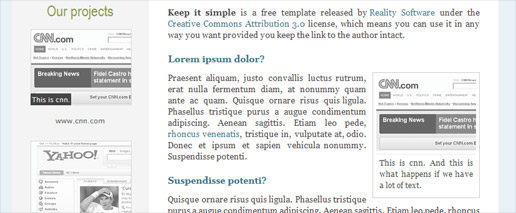
View a Demo of this plugin with and without animations here. The captions on the left are animated and the caption on the right is not.

Download the plugin

This plugin has been tested in IE 6 and 7, Firefox 2 and 3, Safari and Chrome.

Updated Sept. 2, 2009 - Added CopyFloattoClass, improved some documentation and changed defaults to reflect the current state of text editors.

Updated Nov. 4, 2009 - Added requireText, allowing the plugin to be run even if there is no caption text.

Download a zip of the plugin and the sample.

67 Comment(s) | Posted | by Joel Sutherland | |

Comments

  1.  Nate's avatar
    Nate
    | Permalink
  2. Joel Sutherland's avatar
    Joel Sutherland
    | Permalink

    Nate,

    It is very much like Captify, except that it only performs the 'core' function of creating captions. Everything else is optional.

    As an example, Captify only allows certain kinds of animations. You specify 'fade' or 'slide'. With this plugin, any jQuery animation is possible because it follows the jQuery convention for plugin animations.

    Another example is how this handles markup. This plugin allows you use any elements you wish to build your caption.

    Ultimately the distinction is in flexibility. Captify is good at letting you do one type of caption. This lets you do any kind you wish, Captify's style included.

  3.  Matty's avatar
    Matty
    | Permalink

    Good work.
    Is it possible for me to have links in the caption?
    Using an attribute just passes plain text..

  4.  Joel's avatar
    Joel
    | Permalink

    Matty,

    It should be possible -- could you send me a copy of the code you are having trouble with and I will take a look?

    joel at newmediacampaigns dot com

  5. Mustang's avatar
    Mustang
    | Permalink

    the plugin is very nice, however I can't find a way to put html on the caption.

  6.  Jack Auses's avatar
    Jack Auses
    | Permalink

    Great plugin! Is there a way to add extra width to the autowidth value? I'm currently using jcaption on a site and it's performing perfectly. However, my CSS calls for a 5px border around the image, increasing the total width of the image by 10px and slightle messing up my layout because the width of wrapper is 10px narrower than it needs to be. I'd like to be able to specify that jcaption assign a width to my wrapper div with a value of imageWidth + 10px.

  7.  Joel Sutherland's avatar
    Joel Sutherland
    | Permalink

    Jack,

    Thank you for the catch on the autowidth. I will update the plugin to address this. Instead of measuring the image directly I need to temporarily wrap it and then measure the wrapper.

    I am absolutely swamped at work though so I won't have this fix done immediately. In the mean time you can make the adjustment on line 71:

    if(settings.autoWidth) div.width(image.width());

    Let me know if you have any trouble.

  8.  Kevin's avatar
    Kevin
    | Permalink

    Hello, I love the plugin!

    But I think I found a bug?

    In the demo page (using Firefox and Safari), if you hover over the linked images the cursor becomes pointer and images are clickable. But in IE7 IE8, the cursor doesn\342\200\231t become a pointer and can\342\200\231t click on the images, the link only works on the caption itself.

    I hope this helps.

    Kevin

  9.  carlos's avatar
    carlos
    | Permalink

    What if I want to change the caption text?. On a page I have a photo that changes every certain time, the photo changes but not the caption text, it shows me always the same

  10.  Joel's avatar
    Joel
    | Permalink

    The caption is only written once. The code would need to be modified to allow updating. A good alternative for your project would probably be the cycle plugin. You can see that at:

    http://malsup.com/jquery/cycle/
    "

  11.  Yvan's avatar
    Yvan
    | Permalink

    Hi Joel,

    I just changed your plugin to integrate the option CopyFloatToClass.

    You can find the changes here: http://yvmarques.googlepages.com/jcaption.js"

  12. ethan's avatar
    ethan
    | Permalink

    I'm having a hell of a time getting an inline flowing gallery going with this one... anyone have any hints?

    Displaying div.project as 'inline' breaks in IE6.

  13. ethan's avatar
    ethan
    | Permalink

    And what are the chances i'm writing from the same town of CARRBORO!? I thought at first it was a mistake, like it was echoing my location.

  14. Joel Sutherland's avatar
    Joel Sutherland
    | Permalink

    Ethan -- We will have to meet up!

    I am about to release an update to this plugin that may solve your problems. Have you tried the CopyFloatToClass that Yvan Made?

  15. ethan's avatar
    ethan
    | Permalink

    Yea! Hire me!

    The inline issue is probably just because i haven't delved into the structure at all. I was able to throw them together with a left float actually!

  16. ethan's avatar
    ethan
    | Permalink

    Hey Joel, wanted to let you know i got it working here: http://attunedesigns.com/portfolio/

    thanks!

  17. Joel Sutherland's avatar
    Joel Sutherland
    | Permalink

    Ethan -- It looks awesome. You might also want to check out my post on jquery portfolios: http://www.newmediacampaigns.com/page/a-jquery-plugin-to-create-an-interactive-filterable-portfolio-like-ours

  18. Rachel's avatar
    Rachel
    | Permalink

    Hi,
    I am trying to use the jcaption plugin along with an image crawler and am having some issues. Some of the issues have to do with padding or margins that the images are inheriting, I can't figure out from where.
    The most outstanding issue is happening in Safari, after the crawler goes through the images once, the captions stop popping up, then they start again in the next round of images. I know this is a lot to delve into, but any help or tips would be welcome. Thanks!

    you can see the markup here:
    http://sdmedia.hyperarts.biz/index-withjcaption.html

  19. Joel Sutherland's avatar
    Joel Sutherland
    | Permalink

    Rachel,

    This is likely happening because of the way that the crawler code loops the images.

    The captions are only added when the page is first loaded. My guess is that the crawler duplicates images from the beginning when it gets to the end. This means that the caption plugin is not running on these new images.

    Rather than using the jCaption plugin I suggest adding a <p> tag around the caption you want to pop up and place it inside the <a> tag. You can use the CSS I include to make it look right.

    Then use the jQuery .live method (http://docs.jquery.com/Events/live#typefn) to add the sliding effect. The code would look something like:

    $("mycrawler2 a").live("mouseover", function(){
    $(this).children("p").slideUp();
    ).live("mouseoout", function(){
    $(this).children("p").slideDown();
    );

  20. Leo Houer's avatar
    Leo Houer
    | Permalink

    Hey,

    How can i make the black semi-transparent background stretch over the whole image width, regardless of how long the caption text is?

    I tried putting width=100% within div.caption p {} but that makes the semi-transparent bar strech over image width including border widht of the image. How can i make it so that its width is that of the image (without the img border)?

    THANKS!

  21. Will's avatar
    Will
    | Permalink

    I love your script but I need to be able to a little bit more. I want the caption (image name) to be visible but when you put your mouseover the image the caption to move up to display the additional text on subsequent lines. I.e. It will display the image name but on mouseover will also display the image description... Is this possible? How would I achieve it?

    Sample code would be:

    <div class="project"><a href="#"><img src="images/img1.jpg" alt="A product name<br />This is this is the product description" /></a></div>

  22. website laten maken's avatar
    website laten maken
    | Permalink

    Very nice script! Have been looking for this some time and I think this one fits my needs perfectly! Thanks!

  23. web design's avatar
    web design
    | Permalink

    This is great and thanks for sharing, yeah it's like a project captify but both are not working for me in dynamic may b because jquery 3 or I dont know let me know is any other way for caption thanks in advance.

  24. Eric Lofgren's avatar
    Eric Lofgren
    | Permalink

    I'm trying to install both this and a lightbox/slimbox clone (actually picbox, http://bunnyfire.co.uk/projects/picbox/). The problem is the existing code structure, for the lightbox, uses a title tag in the anchor surrounding the image, i.e. the image's parent.

    The second problem is less important but the entire div is enclosed in the anchor... jcaption only surrounds the image.

    Is it possible to easily modify the code to:
    1. Read the title from the parent of the image instead of the image
    2. Enclose the anchor tag inside the div so only the image, not the caption, is linked

    Thanks,
    Eric

  25. Joel Sutherland's avatar
    Joel Sutherland
    | Permalink

    Eric,

    It is possible. I would suggest going into the plugin code itself to make the changes. The code is pretty simple and clear. You should be able to make your changes in just one or two places.

  26. Eric Lofgren's avatar
    Eric Lofgren
    | Permalink

    I found an easier way... one line of jquery to copy the title from the image (where it belongs) to the anchor:

    $('img').load(function(){
    $(this).parent().attr("title",$(this).attr("title"));
    });

    Thanks

  27. Hallor's avatar
    Hallor
    | Permalink

    love the look of this, but I simply can't make it work :/ might be conflicting with some script from the cms I'm using?

  28. Rahul - Web Guru's avatar
    Rahul - Web Guru
    | Permalink

    This is quite a simple yet nice jQuery script. Thanks for the share.

  29. celtric's avatar
    celtric
    | Permalink

    You should return the jQuery object in order to make it compatible with the chaining philosophy.

    Line 27:
    $(this).each(function(){

    Should be:
    return this.each(function(){

  30. Joel Sutherland's avatar
    Joel Sutherland
    | Permalink

    Yikes! Not sure how I missed that. The plugin has been updated.

  31. Webdesign Hamburg's avatar
    Webdesign Hamburg
    | Permalink

    Hi Joel,

    Great plugin, thanks a lot. It's extremely easy to implement. It took me less than 5 minutes to follow your instructions and implement the code.

    Just one question: Is it possible to circumvent the plugin in any way? We maintain a number of images via a content management system and it would be nice if NO caption appeared IF the alt-attribute is left empty. Is this doable in any way?

    Thanks again for your support.

  32. Webdesign Hamburg's avatar
    Webdesign Hamburg
    | Permalink

    Oh Gosh I feel so silly now. I just read your instructions again and it seems I missed this line:

    requireText: true,

    It works like a charme now. Thanks again for the great plugin.

  33. Joel Sutherland's avatar
    Joel Sutherland
    | Permalink

    It certainly is possible -- and it is built in!

    Just set "requireText" to true in the settings. This should be on by default.

  34. Webdesign Hamburg's avatar
    Webdesign Hamburg
    | Permalink

    Hi Joel,

    It really is. I cant believe how flexible your plugin is. Great job!

  35. Shane's avatar
    Shane
    | Permalink

    One thing i noticed since i was using this on a drupal site. Was if the image had a link around it it would then try to put a div inside a link tag. Causing the link to act weird. I modified the code a little. Not sure if anyone else would find this useful.

    <code>
    //Wrap the image with the caption div
    checkParent = image.parent()[0].localName;
    if(checkParent == 'a'){
    image.parent().wrap("<" + settings.wrapperElement + " class='" + settings.wrapperClass + "'></" + settings.wrapperElement + ">");
    }else{
    image.wrap("<" + settings.wrapperElement + " class='" + settings.wrapperClass + "'></" + settings.wrapperElement + ">");
    }
    </code>

    also had to add it here

    <code>
    //Put Caption in the Wrapper Div
    if(checkParent == 'a'){
    var div = $(this).parent().parent().append('<' + settings.captionElement + '>' + image.attr(settings.imageAttr) + '</' + settings.captionElement + '>');
    }else{
    var div = $(this).parent().append('<' + settings.captionElement + '>' + image.attr(settings.imageAttr) + '</' + settings.captionElement + '>');
    }
    </code>

  36. Shane's avatar
    Shane
    | Permalink

    Regarding the top code snippets. you also have to change the animation section.
    <code>
    if(checkParent == 'a'){
    if(settings.animate){
    $(this).parent().next().hide();
    $(this).parent().parent().hover(
    function(){
    $(this).parent().find('p').animate(settings.show, settings.showDuration);
    },
    function(){
    $(this).parent().find('p').animate(settings.hide, settings.hideDuration);
    });
    }
    } else {
    if(settings.animate){
    $(this).next().hide();
    $(this).parent().hover(
    function(){
    $(this).find('p').animate(settings.show, settings.showDuration);
    },
    function(){
    $(this).find('p').animate(settings.hide, settings.hideDuration);
    });
    }
    }
    </code>

    Also I added an ability to copy the classes to the parent div. if anyone is interested just email me

  37. Tom's avatar
    Tom
    | Permalink

    This is a great tool, thank you for creating it.

    Would you (or someone) please suggest a way to selectively NOT caption something, yet include the all-important alt tag??

    I know about requireText=true...

    Thank you, Tom

  38. Joel Sutherland's avatar
    Joel Sutherland
    | Permalink

    Tom,

    You can just use jquery selectors to handle that. So give an image the class 'nocaption' and then make your call like this:

    $('img:not(.nocaption)').jcaption();

  39. Steve Costello's avatar
    Steve Costello
    | Permalink

    It seems that if an image is inside a div with the style display:none set, the jQuery can't 'see' the image to measure it. Any way around this?

  40. dope's avatar
    dope
    | Permalink

    Great plugin! I'm a novice and even I have it working quite nicely. The only thing I can't sort out is an animation queue buildup. Any suggestions?

  41. Red's avatar
    Red
    | Permalink

    This plugin is great, especially for non-linked images. For linked images, though, the div is created inside the anchor instead of outside. Is there any easy way to change this? I'm not especially familiar with jQuery, but I can fumble my way around. I took a look at your code and I'm not sure what to change in order to get it to check to see if the image is linked and, if so, have it generate the div outside of the anchor.

    Suggestions? Thanks!

  42. Ralph Lemarechal's avatar
    Ralph Lemarechal
    | Permalink

    Many thanks for developing this tool.

    I'm far from been a coder myself, so I did my best to implement this plugin on my website.

    It works great with Firefox, but Chrome and Safari seem to cause the following issue;

    Initial load, all goes well (see the 6 icons on my frontpage) - but navigate somewhere and when you come back to the frontpage only one item has a caption.

    Can't figure out what goes wrong ;-)

    Ralph

  43. Neo's avatar
    Neo
    | Permalink
    Great plugin! Thanks for sharing.

    I had the same problem with Captify - that is a super plugin if captions is the only function you want to run on the element.

    I needed to run a few different functions on the same element and jCaption helped keep things clean.

    sweet plugin!
  44. Andrew's avatar
    Andrew
    | Permalink
    Hi

    Great plugin and i have used it on a static site across all browsers, well done!

    Now i have been asked to turn the site into a functional cms using wordpress.

    Is there a plugin version of this for wordpress as i have tried to use it on the theme i am building but it doesnt seem to work.

    Any advice would ever so helpful!

    Love the plugin.

    Thanks
    Andrew
  45. MB's avatar
    MB
    | Permalink
    Great plugin!
    Having a little trouble with it in an accordion (it puts the images each on their own line - but if i turn it off, then they are 4 wide).

    Other than that, it's perfect! Thanks
  46. ZAP's avatar
    ZAP
    | Permalink
    This is an excellent plugin, and I think I'm going to start using it on all our sites.

    I'm having the same issue as Steve Costello above, however. I have some images with captions that are in a div that's hidden on page load (a "Continue Reading" div that is made visible by clicking a link that calls jQuery's toggle method). The captions are added, but the div is not sized properly and text appears overtop of it all.

    I tried re-running the jcaption script when the link is clicked, but that doesn't work. My thought was that I could re-apply the transformation, but perhaps I need to remove it first? Even better would be a way to calculate the div size based on the height and width declared in the img tag, since that way they'd just be right whether or not the div were hidden.

    Any advice on resolving this?
  47. Alistair Dance's avatar
    Alistair Dance
    | Permalink
    Hey, I know there has been a long gap between this post and the last but hopefully you are still there!!?

    Just a quick question really:

    I have a grid of images which all have click throughs... so the pages degrades nicely all the images are set in an un-ordered list. The images are background images on the list (li) item.

    Therefore I want to apply the caption to the li selector NOT the img selector.... is this possible?

    thanks in advance
  48. ibanten.com's avatar
    ibanten.com
    | Permalink
    nice plugins captions.. ty so much...
  49. Kurt's avatar
    Kurt
    | Permalink
    Floats work great, but when we assign a center span to an image, the caption correctly centers, but our image then left-aligns.

    How should we be using this great little script with centered images?

    Here's the CSS Class we're using:

    span.center {
    display: block;
    text-align: center;
    margin: 0.5em auto;
    }

    Thanks!
  50. Joel Sutherland's avatar
    Joel Sutherland
    | Permalink
    Kurt,

    My guess is that the image is display: block; If you make sure it is display: inline; that should do the trick.
  51. Nathan's avatar
    Nathan
    | Permalink
    Excellent plugin! Thanks for sharing.

    I just discovered that when using this in conjunction with the equal-heights plugin (http://www.cssnewbie.com/equalheights-jquery-plugin/), you must make sure that the caption function fires first, otherwise the containing DIV displays a vertical scrollbar after the caption function fires, since the height of the DIV has already been established.

    I thought someone out there might find that useful.
    Thanks again,
    n
  52. Kurt's avatar
    Kurt
    | Permalink
    Hi Joel,

    We've tried removing the "display" all together from the class, and display: inline-block; and just about everything else, and there is nothing assigned to the image tag its self.

    Could you direct me to a working example so I can reverse engineer?

    Thanks so much.
  53. Beebop's avatar
    Beebop
    | Permalink
    the main difference between captify is if you have some developers without hands ,who attached more than 1 jquery in captify you will have fatal, this plug is ok. Thanks. ) I waiste on re factoring about 5 hours, then revert delete captify and attach jcaption! thanks!
  54. Tom's avatar
    Tom
    | Permalink
    Is it absolutely required to load this at the TOP of the page?? I'd really like to have this working at the bottom of the page, if possible.

    Often for speed purposes one wants JS to load at the bottom of the page...

    Will continue experimenting...

    Thank you, Tom
  55. Angelo's avatar
    Angelo
    | Permalink
    I’m somewhat certain they’ll be informed a lot of new stuff right here than any one else!
  56. Tarik's avatar
    Tarik
    | Permalink
    Hi,

    I have tried to add a background image to this caption, but I could not find any solution. Is there anyway that can be add a background image to the caption like a magnifier with preview text ...
  57. Shawn Bird's avatar
    Shawn Bird
    | Permalink
    This is a perfectly brilliant solution to something I have hacked together with less elegance myself. Thank you.
  58. crackcomm's avatar
    crackcomm
    | Permalink
    Package should be "jscaption" not "jcaption" its javascript not Java :P just little suggestion hehe
  59. Tom's avatar
    Tom
    | Permalink
    I am using this code and on some images the image gets squeezed horizontally to a narrower width, any idea why this happens??

    This ONLY happens in IE8, IE8 Standards Mode...

    When was the last code update done??
  60. umair's avatar
    umair
    | Permalink
    Thanks, I’ll check this module out. Nice clearly written post. Cheers,
  61. Ben Tambling's avatar
    Ben Tambling
    | Permalink
    I appreciate i'm a little late on this, but I was just hoping someone would be able to help me out with a small issue i'm having with the plugin.

    I've managed to get it working, but there seems to be a slight issue when I add padding to the '.caption p', which results in a clunky hide and reveal of the caption. The animation is perfectly smooth until it hits the padding, when it just disappears, rather than sliding down/up.

    If anyone would be able to help i'd appreciate it, and I can supply a bit more info,

    Cheers,

    Ben
  62. Greg's avatar
    Greg
    | Permalink
    Hey there,
    Thanks for the plugin. I've used it on other sites but I'm having issues now on http://idea-catalyst.co.za/Sandbox/Olivari/V1/basic.html
    I'm using a lot of JQuery including Jscrollpane Jcarosel LazyLoad, and some of my own functions to gather size for the divs.
    When I add your plugin it seems to completely break the others.
    Do you know of any conflicts with those plugins? It doesnt seem to add the markup when I hover a jcaption enabled img at all.
  63. Tom's avatar
    Tom
    | Permalink
    Is jCaption compatible with jQuery 1.7.x??

    I'm using it on a site which calls this and nothing happens, no captions etc., it works on another site with jQuery 1.6.x...

    Thank you, Tom
  64. Chris Backhouse's avatar
    Chris Backhouse
    | Permalink
    I was about to sit down and write some code to do just this and thought "I'll Google this, just in case ..."

    Superbly flexible plugin, easy to setup and does what it says on the label!
  65. Xavier's avatar
    Xavier
    | Permalink
    Hi,

    I used your plugin on my page (thanks a lot for your work) and would like to know how to adapt it in order to have a caption coming fro the bottom (as you created it) AND an other one from the top, so it could make a title of the image on the top and the comment on the bottom.

    I guess i could use exactly the same code and use the element "title" of th in place of the element "alt", but i can't find where it is told that the caption comes from the bottom. Idealy the top texte would have a biger font-size or so...

    Hope my question is clear and you have an idea about it ?

    Thanks a lot

    Xavier
  66. Joel Sutherland's avatar
    Joel Sutherland
    | Permalink
    Xavier,

    If you view the example source you'll see how to do the animation. It's fairly straightforward.

    To modify how it looks, just tweak the CSS and jQuery animation properties.
  67. Xavier's avatar
    Xavier
    | Permalink
    Hi again ,

    Thanks for your answer and if someone was looking for the same thing, it is in caption.css:

    #sidebar div.caption p {
    position: absolute;
    margin: 0; padding: 2px;
    font-size: .9em;

    TOP: 0;

    left: 0;
    background:black;
    color: white;
    opacity: .7;
    text-decoration:none;
    }

    best regards,

    xavier

Leave a Comment

Latest on Twitter

@lukestokes Our datacenter, Softlayer had a ~10 minute network issue that affected some parts of the country, HiFi itself was uninterrupted.

by GetHiFi on TweetDeck